
Passing your FAA knowledge test is a major milestone. But the process—from PSI scheduling to IACRA verification—can feel confusing the first time you do it. This guide walks you through each step, explains what to expect at the testing center, and covers the technical details that don’t always get mentioned elsewhere.
I. Create or Verify Your FAA Tracking Number (FTN)
Before you can schedule any FAA written test, you must have an FAA Tracking Number (FTN).
Your FTN is a unique identifier assigned to you by the Integrated Airman Certification and Rating Application (IACRA) system. The FAA uses this number to track all your test results, certificate applications, and ratings throughout your entire aviation career.
IACRA is the FAA’s secure online portal where applicants, instructors, and examiners complete pilot applications and verify credentials. It’s where your test results are uploaded and where you’ll later apply for your pilot certificates and ratings.
How to get your FTN:
- Go to https://iacra.faa.gov.
- Select Register → Applicant.
- Fill out the registration form exactly as it appears on your government-issued ID (no nicknames or missing initials).
- Once registered, your FTN will appear on your confirmation screen and in your IACRA profile.
If you’ve ever taken a Part 107 test or applied for a Student Pilot Certificate, you already have an FTN. Don’t create a new one. Log back into IACRA with your existing credentials. Duplicate FTNs can delay test result uploads.
Best Practice:
Write your IACRA login credentials and FTN neatly in your pilot logbook. You’ll use them often, and keeping them where you log your flight time ensures your FAA records stay connected and easy to find.
II. Schedule Your FAA Knowledge Test Through PSI
The FAA contracts PSI to handle all testing appointments. You’ll schedule online at https://faa.psiexams.com/faa/login.
Step-by-Step Scheduling
- Create a PSI Account
- Go to https://faa.psiexams.com and select Create an Account.
- Use the exact legal name and email listed in IACRA.
- During registration, enable Multi-Factor Authentication (MFA). Install an authenticator app such as Google Authenticator, Microsoft Authenticator, or Authy.
- Find a Test Center
- Choose Find a Test Center.
- Enter your ZIP code and select a radius.
- Review available testing centers and select one convenient for you.
- Select Your Test Type
- For the Private Pilot Airplane exam, select PAR – Private Pilot Airplane.
- Choose Date and Time
- Review available times and select your preferred appointment.
- Continue to payment.
- Pay the Exam Fee
- Standard fee: $175 (some centers vary slightly).
- Pay directly on PSI’s site.
- You’ll receive a confirmation email with your test date, directions, and ID requirements.
The “Pre-Exam Data Collection” Page Explained
Before your booking finalizes, you’ll see a Pre-Exam Data Collection screen. This ensures your test is logged correctly and helps the FAA collect training data.
- Number of Exam Attempts:
Enter “1” if this is your first attempt. Increase by one for each retake. - School or Experience:
- Select School only if you trained under a Part 141 flight school and received a graduation certificate.
- Select Other if you completed an online ground school (such as MzeroA), received a CFI endorsement, or trained under Part 61.
If selecting Other, choose the Authorization Category: Other Statement or Endorsement of Eligibility.
Niche Notes
- Authenticator Access: Keep your authenticator app installed; PSI uses MFA for most logins.
- Name Matching: PSI and IACRA must match exactly, including middle initials.
- Limited Center Availability: Some rural centers test only a few days per month. If your preferred date is full, check nearby cities or call. PSI staff can sometimes manually add you.
III. Prepare for Test Day: What You Can (and Can’t) Bring
Knowing what to bring—and what not to—will save you from unnecessary delays or cancellations.
What to Bring:
- Government-issued photo ID (valid, not expired) showing:
- Name in English alphabet
- Signature
- Photograph
- Current residential address (bring proof of address if your ID doesn’t match)
- Arrive 30 minutes early.
- Your FTN.
- PSI confirmation email.
- Authorization to test:
- CFI Endorsement Letter (signed logbook entry) or
- Ground School Completion Certificate (printed from an FAA-approved school like MzeroA). If you can’t print it, ask the proctor for an email address to send it electronically.
If unsure, review the FAA Airman Knowledge Testing Matrix for identification and endorsement guidance. https://www.faa.gov/training_testing/testing/testing_matrix
What to Leave Behind:
- Electronics: phones, smartwatches, earbuds, Bluetooth devices.
- Personal items: hats, sunglasses, wallets, purses, jackets.
- Scratch paper (provided by the center).
- Calculators that store text or connect via Wi-Fi/Bluetooth. (Approved Calculators: ASA CX-3, CASIO fx-260 / fx-300, TI-30XA)
Odd but Real Test-Day Details
- You may be asked to empty pockets and roll up sleeves.
- Eyeglass cases must stay outside.
- Water bottles (if allowed) must be label-free.
- You may not exit the building during the exam.
- Restroom breaks don’t pause the timer.
- Some centers photograph or record for FAA verification.
- Be polite. Proctors control the testing environment.
IV. Understanding the Test Environment
Each testing station is computer-based and monitored for security.
Before You Begin
The proctor will show you how to:
- Navigate between questions
- Flag questions for review
- Use on-screen tools
- Submit final answers
Ask questions before the timer begins!
What’s Provided at the Testing Center
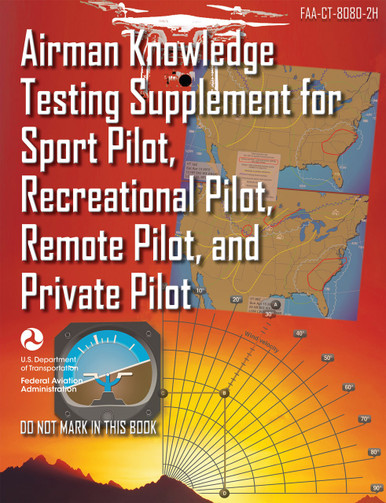
Most centers provide: Scratch paper, pencils, ruler, calculator, magnifying glass, and E6B flight computer.
Call ahead to confirm what’s provided. If a tool isn’t available, you may bring your own (subject to FAA approval).
You may not bring your own Testing Supplement (figures book). The testing center will provide you with a printed copy of the supplement. These are FAA property—do not write, highlight, or mark inside them.
On-Screen Tools and Test Structure
You’ll have access to:
- Calculator
- Flag button
- Timer
- Digital Testing Supplement (same as printed copy)
Test Structure
- 60 questions for Private Pilot (PAR)
- 2.5-hour time limit
- Multiple choice (A, B, C)
- You can change answers anytime before submission
Tip: Click “Start Exam” once and wait. PSI may load slowly. Don’t double-click.
V. Test Completion and the Score Report
When you finish, click “End Exam” and raise your hand. The proctor will close your session and print your official Airman Knowledge Test Report (AKTR).
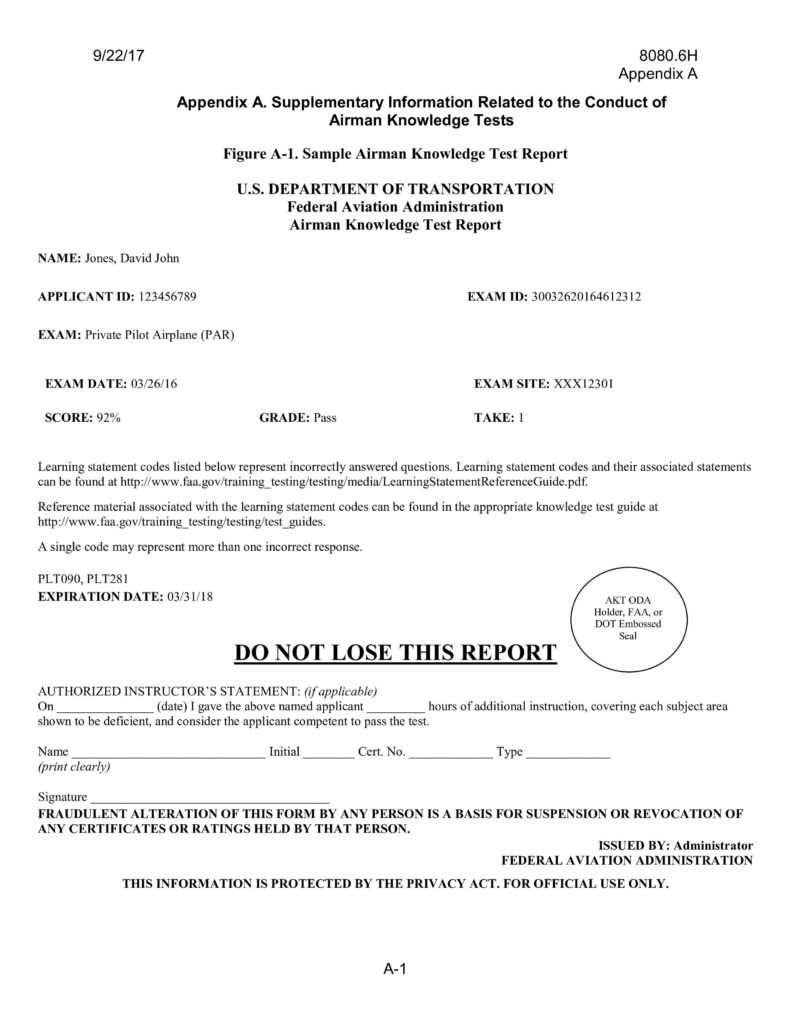
What’s on the Airman Knowledge Test Report (AKTR)
- Your name and FTN
- Test ID and date
- Official score
- Learning Statement Codes (LSCs)
Protecting and Understanding Your AKTR
- Take a photo or scan it immediately.
- Print a backup.
- Keep the original safe—it must be shown to your examiner.
Understanding the “Codes”
Each missed question corresponds to an LSC or ACS code.
You can find explanations here:
https://www.faa.gov/training_testing/testing/LearningStatementReferenceGuide.pdf
VI. If You Don’t Pass
The 30-Day Rule
You must wait 30 days to retest unless a CFI or ground instructor provides a signed endorsement stating you’ve received additional instruction.
Retest Requirements and Documentation
Your instructor must review your LSCs and provide targeted retraining. Once complete, they’ll issue a new endorsement stating you’re ready to retest.
The documentation you will need to bring if a retest is required:
- Your signed AKTR from your failed attempt (it must be surrendered to the proctor).
- Your new CFI endorsement.
Fees and Retakes
You’ll pay the full fee again. Each retake is treated as a new test with a new test ID.
VII. How Your Test Connects to IACRA
After your test, PSI automatically uploads your score to IACRA. No manual upload is needed. It usually appears within 24–72 hours, but it can take up to five business days.
How to Check
- Go to the IACRA website.
- Log in → Applicant Console → View My Test Information.
- Your test should appear under Test Results.
However, if it doesn’t:
- Confirm your name and birth date match in PSI and IACRA.
- If all info is correct, call PSI Support (800-211-2754) and ask them to re-push your record.
VIII. Moving Forward: Using Your Test for Certification
Once your score appears in IACRA, you’re ready to move forward with your practical test paperwork.
How to use it:
- Log into IACRA.
- Start a new Application for your certificate.
- Your written test will automatically be attached to your FTN record.
- Your DPE will verify your AKTR and codes during your checkride.
Validity Period
Your FAA Knowledge Test results are valid for 24 calendar months. You must complete your checkride within that time or retake the written.
IX. Final Thought
The FAA written test is more than a score; it’s documentation that validates your knowledge and moves your training forward. Understanding how to manage the scheduling, testing, and IACRA steps helps you stay organized and avoid administrative setbacks.
Want to Pass Your FAA Written Exam with Confidence?
MzeroA Online Ground School gives you everything you need in one place, from Private Pilot to CFI training, all structured around the Aviation Mastery Method. Our students score 6 points higher than the national average, and you can too!