
In January 2023, the FAA’s NOTAM system went down and within minutes, every domestic flight in the United States was grounded. Not because of weather, not because of a security threat, but because pilots didn’t have NOTAM data. A contractor had accidentally deleted files while syncing a database, and because both the primary and backup systems were fed the same corrupted data, there was no clean fallback. The entire U.S. airspace system stopped because critical information didn’t reach the people who needed it.
The incident triggered a congressional investigation, new oversight requirements, and eventually the push to modernize the system entirely—which is where the new NOTAM Management System comes from. And yet, for something that carries that much operational weight, NOTAMs remain one of the most consistently ignored parts of a preflight briefing.
The good news is that reading NOTAMs is a learnable skill, and once it clicks, it becomes second nature. Here’s everything you need to get there: what NOTAMs are, how to decode them, how to filter the noise, and how to use them the way experienced pilots do.

What Is a NOTAM?
NOTAM stands for Notice to Airmen. (As of February 10, 2025, the FAA officially reverted to that original terminology—it had been briefly called “Notice to Air Missions”)
By definition, a NOTAM is a notice containing information essential to flight operations that isn’t known far enough in advance to be published through standard aeronautical charts, publications, or procedures. In plain English: if something changes, breaks, gets restricted, or pops up in the airspace that you need to know about before you fly—it shows up in a NOTAM.
That could mean a runway closure at your destination, a NAVAID knocked offline, or a TFR that appeared overnight because a VIP is in town. It could be a crane at a construction site that just cleared obstacle height or a laser lightshow three miles off your approach path. None of it makes it onto your sectional. All of it affects your flight.
The concept of NOTAMs in aviation dates back to the 1940s, modeled after the “Notice to Mariners” system used to warn ship captains of hazards at sea. The FAA kept the idea, updated the format (a few times), and here we are.
Understanding the NOTAM Management System (NMS)
NOTAMs don’t just materialize out of thin air (pun intended). They go through a structured system that has recently gotten a significant upgrade.
The FAA has launched a modernized NOTAM Management Service (NMS), which you can access at https://nms.aim.faa.gov/. This system replaced the older Federal NOTAM System and began rolling out in September 2025. It offers near-real-time data exchange, improved collaboration tools for pilots and dispatchers, and a much cleaner interface. The NMS is also designed to be ICAO-compatible (more on why that matters in a moment). Full public access is expected to be available by mid-April 2026, with the Foreign NOTAM Service (FNS) expected to follow by fall 2026.
Who Issues NOTAMs?
NOTAMs are issued by a range of sources:
- Airport operators –for conditions at their field (runway closures, lighting outages, construction, etc.)
- Flight Service Stations (FSS) – for distributing and verifying NOTAMs across their area
- The National Flight Data Center (NFDC/FDC) – for regulatory changes like amended approach procedures and TFRs
- Air Route Traffic Control Centers (ARTCCs) – for NOTAMs that cover large airspace areas

Once issued, NOTAMs are distributed through the NMS and exchanged internationally through what’s called the Aeronautical Fixed Telecommunication Network (AFTN). They’re designed to move fast, because the whole point is to get critical information to you before it becomes a problem.
Who Issues NOTAMs?
NOTAMs are issued by a range of sources:
- Airport operators –for conditions at their field (runway closures, lighting outages, construction, etc.)
- Flight Service Stations (FSS) – for distributing and verifying NOTAMs across their area
- The National Flight Data Center (NFDC/FDC) – for regulatory changes like amended approach procedures and TFRs
Air Route Traffic Control Centers (ARTCCs) – for NOTAMs that cover large airspace areas
Once issued, NOTAMs are distributed through the NMS and exchanged internationally through what’s called the Aeronautical Fixed Telecommunication Network (AFTN). They’re designed to move fast, because the whole point is to get critical information to you before it becomes a problem.
NOTAM Types
The FAA categorizes NOTAMs a few different ways, and knowing the categories helps you know where to look:
NOTAM (D) – Distant: These are the most common type. They cover all navigational facilities in the National Airspace System, all public-use airports, seaplane bases, and heliports. Runway closures, taxiway info, obstruction data, lighting issues. NOTAM (D) is your primary source for on-airport and enroute facility information.
FDC NOTAMs – Flight Data Center: These are regulatory. When you see an FDC NOTAM, pay attention. They cover amendments to published instrument approach procedures (IAPs), changes to airways, TFRs, GPS anomalies, and high barometric pressure warnings. If you’re flying IFR, FDC NOTAMs are non-negotiable.
Center Area NOTAMs: A type of FDC NOTAM that applies to a broader area—not just one airport. TFRs that cover multiple airports, for example, live here under the ARTCC responsible for that airspace. This is why you should always search for both airport-specific NOTAMs and the ARTCC code for your region.
FICON NOTAMs – Field Condition: These report runway surface conditions (braking action, contaminants like snow, ice, or standing water, and friction measurements). If you’re flying into an airport dealing with winter weather, FICON NOTAMs tell you what you’re landing on.
SAA NOTAMs – Special Activity Airspace: These notify pilots when special use airspace (like military operating areas) is active outside its normally published schedule. Just because the chart says the MOA is only hot Monday through Friday doesn’t mean a SAA NOTAM won’t change that.
ADS-B NOTAMs: Issued when ADS-B ground infrastructure is degraded or out of service in a specific area. Worth checking if you’re relying on traffic awareness or operating in airspace where ADS-B Out is required.
Pointer NOTAMs: These don’t carry operational information on their own—they point you to another NOTAM filed under a different location or facility. A common example is a Pointer NOTAM at a smaller airport directing you to a TFR filed under the controlling ARTCC. They’re easy to skim past, but ignoring one means you might miss exactly what it’s referencing.
International NOTAMs: Any NOTAM distributed across more than one country. These are not automatically included in standard flight briefings—they must be specifically requested.
Military NOTAMs: Issued for military airspace and military airports through the DoD system.
Published NOTAMs: NOTAMs that have been in effect long enough to be included in the Chart Supplement. Easy to overlook because they don’t show up the same way in a standard briefing—but they’re still active and still apply to your flight.Class I and Class II NOTAMs: These are distribution classifications rather than content types. Class I NOTAMs are time-sensitive and distributed via telecommunication. Class II NOTAMs cover information that isn’t immediately time-critical (things like chart and publication updates) and are distributed by mail. Knowing the difference helps you understand why some NOTAMs reach you faster than others.
How to Read NOTAMs
Here’s where most pilots either get frustrated or start skipping information they shouldn’t. Let’s fix that.
Think of learning to read a NOTAM like learning to read a sectional chart. It looks intimidating until someone explains the legend. After that, it’s just a language—and it’s learnable.
The Domestic (Legacy) Format
Until recently, the FAA used a uniquely American domestic NOTAM format. Here’s a real-world example of what that looks like:
!ORD 06/001 ORD RWY 04L/22R CLSD 2106231700-2106232300
Let’s decode this piece by piece:
- !ORD – The accountability location. This is the facility responsible for issuing the NOTAM. In this case, Chicago O’Hare International Airport (ORD).
- 06/001 – The NOTAM number. “06” = June (the month it was issued), “001” = the first NOTAM issued that month.
- ORD – The affected location. Where the NOTAM applies.
- RWY 04L/22R – The subject. RWY is the keyword for Runway, and 04L/22R identifies which one.
- CLSD – The condition. Closed.
- 2106231700-2106232300 – The time constraint in YYMMDDTTTT format (UTC). This reads: 2021, June 23rd, 1700Z to 2300Z.
Every NOTAM (D) must begin with one of the required keywords so you know immediately what it’s addressing: RWY (runway), TWY (taxiway), APRON, RAMP, AD (aerodrome), OBST (obstruction), NAV (navigation), COM (communications), SVC (services), or AIRSPACE.
That keyword is your quick-scan tool. Run your eyes down the list, and the keywords tell you what each NOTAM is about before you even read the full text.

The ICAO Format: What’s Changing
The FAA has been transitioning toward the internationally standard ICAO NOTAM format, which uses a multi-line structure that’s significantly easier to parse on longer NOTAMs. The same runway closure in ICAO format looks like this:
B0667/21 NOTAMN
Q) KZAU/QMRLC/IV/NBO/A/000/999/4159N08754W005
A) KORD
B) 2106231700
C) 2106232300
E) RWY 04L/22R CLSD
- A) – Location (KORD)
- B) – Start time
- C) – End time
- E) – The plain language explanation of the NOTAM
That Q) line in between carries coded qualifiers including the NOTAM Q-code, which always starts with the letter Q. The next two letters identify the subject (MR = Movement area/Runway), and the following two letters identify the condition (LC = Closed). So QMRLC = Runway Closed. Once you learn the common Q-codes, scanning gets much faster.
Understanding the NOTAM Time Format
Times in NOTAMs are always in UTC (Zulu time), and the format is YYMMDDTTTT. So “2601211400” means January 21, 2026 at 1400Z. Always convert to local time for your situational awareness, but brief yourself in Zulu. If a NOTAM ends with “UFN”, that means “Until Further Notice.” No defined end time. That’s your cue to check it again before your next flight.
NOTAM Decoder Tools
ForeFlight and Garmin Pilot both parse NOTAMs into a readable format, which makes the learning curve a lot more manageable. Use them. Just know that at some point (likely on your checkride) you’re going to be handed a printed briefing with raw NOTAM text and expected to work through it. Getting comfortable with that now is worth the effort.
How to Filter NOTAMs
An unfiltered NOTAM briefing can contain an overwhelming amount of information, most of which have nothing to do with your flight. The system is designed to cast a wide net—it’s your job to sort out what fish matters for your flight.
Start With Your Route of Flight
Pull NOTAMs for every airport you’re touching—departure, destination, and alternates. But don’t stop there. Also pull NOTAMs for the ARTCC controlling your airspace. Flying through ZHU (Houston Center) airspace? You need to check ZHU for Center Area NOTAMs that might include TFRs or GPS anomalies along your route.
Prioritize By Category
Here’s a practical priority order for filtering:
- TFRs first. Always. Busting a TFR has career-ending potential, and in some cases worse. Check TFRs along your entire route, not just at the airport.
- Runway and taxiway closures. Can you land where you’re going? Is your planned runway available? Is the parallel runway you were hoping to use for a downwind closed? These affect your planning immediately.
- NAVAID outages. ILS down? VOR unserviceable? GPS anomalies along your route? These directly affect your instrument approach options and IFR alternates.
- FDC NOTAMs for amended approach procedures. If you’re planning an instrument approach, verify the procedure you’re flying hasn’t been amended since your chart was published.
- Obstruction NOTAMs. Cranes, towers, and construction equipment have a way of appearing between chart update cycles. Check for OBSTs around your departure and arrival airports.
- Lighting and services. VASI/PAPI out? ATIS offline? Fuel unavailable? These are quality-of-life NOTAMs that matter more the farther you are from a major airport.
Learn to Cross Off, Not Ignore
Print or export your NOTAMs. Read through them with a pen in hand and physically cross out the ones that don’t apply to your flight. That’s an old-school tip that still works. The act of crossing something off means you looked at it and made a judgment call. That’s different from ignoring it.
Use the Right Tools
ForeFlight’s NOTAM view categorizes and filters by type, which saves significant time. Garmin Pilot does the same. Take advantage of it. But here’s the caveat: always cross-reference with official sources, especially for regulatory FDC NOTAMs and TFRs. For the most important types of NOTAMs pilots encounter in everyday flying, the short list is: TFRs, runway closures, NAVAID outages, amended approaches, and GPS anomalies. Those five categories cover the majority of operationally significant surprises.
When to Use NOTAMs
The short answer: check NOTAMs before and during every flight.
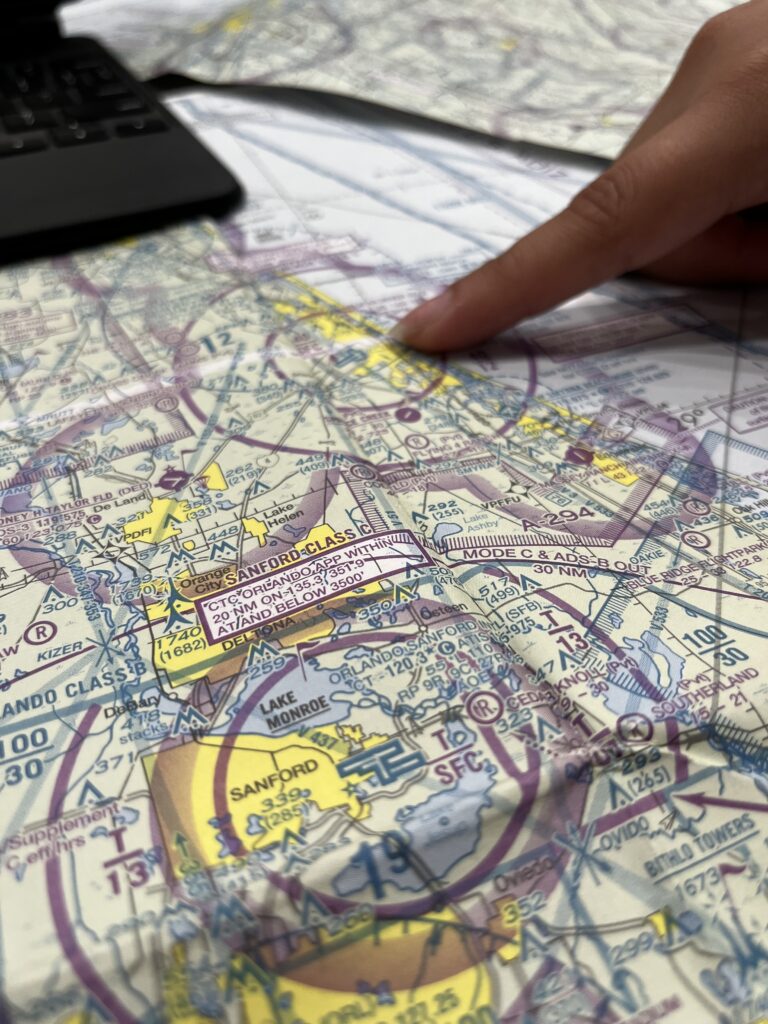
During Preflight Planning
This is where NOTAM management earns its reputation as a critical skill. At MzeroA, we talk about building habits that scale—habits that serve you just as well on a complex IFR cross-country as they do on a local VFR hop. Reviewing NOTAMs is one of those habits.
Pull your briefing at least an hour before departure for short local flights, and the evening before plus again the morning of for longer cross-countries. NOTAMs can be issued or updated right up until your departure time, so a final check before engine start is never too much.
Integrate your NOTAM review into a structured preflight checklist. Look at your route, confirm TFR status, check destination field conditions, verify your NAVAID availability, and make sure your approaches haven’t been amended since you last printed or downloaded your charts.
During Your Briefing
A standard weather briefing from a Flight Service specialist will include relevant NOTAMs automatically. NOTAM (D)s are sometimes omitted unless specifically requested. Always ask. “Include all NOTAMs” is a sentence that takes two seconds and can change the entire picture of your briefing.
En Route
TFRs can pop up with short notice, especially for presidential or security-related restrictions. Keep your situational awareness current. If you’re flying with ADS-B In, you might be able to receive real-time TFR alerts in the flight deck. If not, be familiar with your FIS-B capabilities and their limitations.
Before a Checkride
Your DPE will absolutely check whether you know the NOTAMs for your cross-country planning flight. Not just whether you checked them, but whether you can explain what they mean and how they affect your flight. Know your NOTAMs well enough to talk through them.For even more on NOTAMs, we put together a dedicated resource worth bookmarking: [NOTAM tips] https://www.mzeroa.com/mastering-notams-guide-for-safe-flight-planning/
Closing Thoughts
NOTAMs are the real-time pulse of the National Airspace System and the FAA’s push to modernize how they’re distributed with the new NOTAM Management System is a step in the right direction. But a better interface doesn’t change what’s required of you as a pilot. You still need to pull the briefing, work through the list, and make decisions based on what you find. At MzeroA, that’s the kind of practical, ground-up understanding we build into everything we teach. Because knowing the format is one thing, knowing what to do with it is another.
Fly smart. Brief thoroughly. And never skip the NOTAMs.
If this is the kind of detail you want going into every flight, MzeroA’s online ground school has a lot more where this came from. Start your two-week free trial today!